Every mission, the kit, and what's ready
Season 1 is complete. Season 2 has 4 of 7 missions ready, and the rest are released ahead of members each week. Seasons 3 and 4 open in 2027. Join the founding waitlist.
A year of missions in four seasons
Each season is 12 weeks plus a catch-up week. A short mission takes a week; a bigger build, like a Line Lab, can take two. Every mission has a Rookie build and a Pro build. New members can join any season. Join mid-year and a short catch-up mission gets you moving.
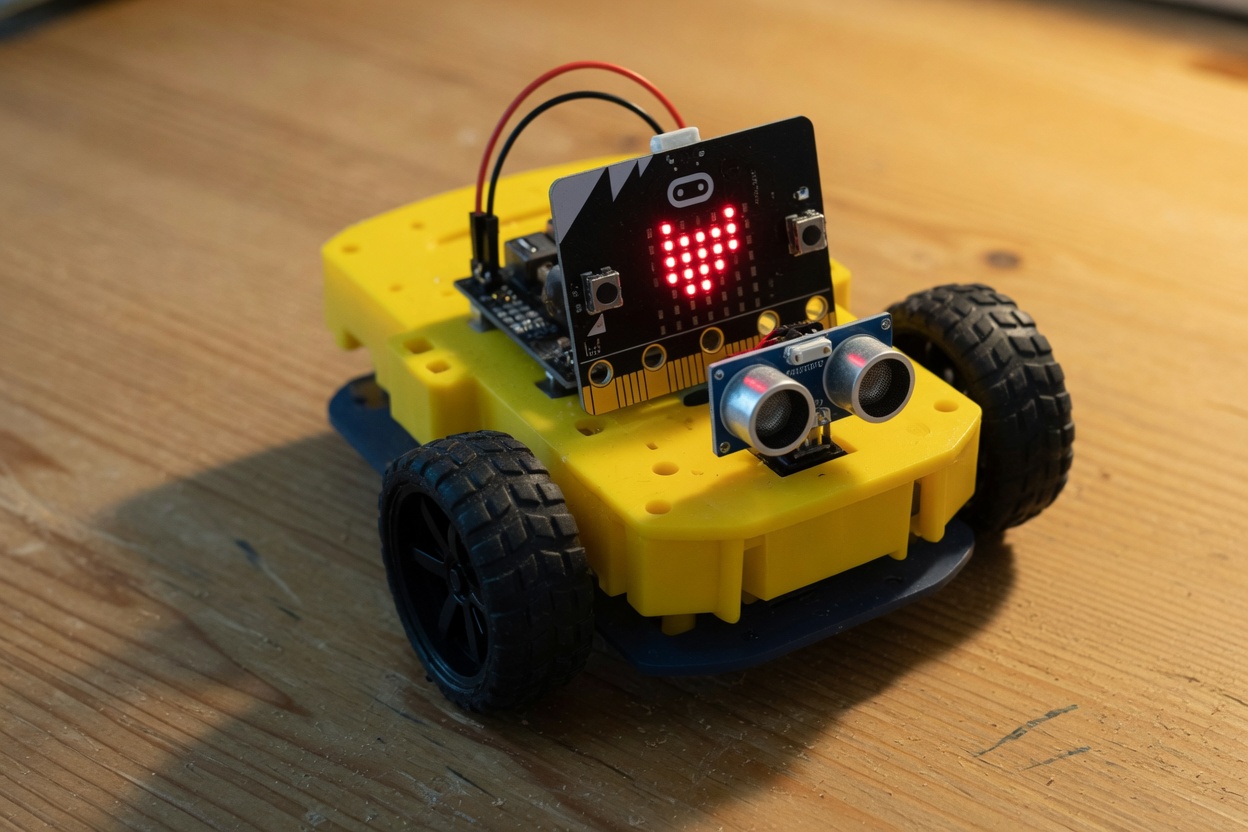
Year 1 kit: a micro:bit and a small car.
The kit is about $50–60: a BBC micro:bit V2 (~$16–26) plus an Elecfreaks Cutebot (~$30). That includes the board. Three AAA batteries from the grocery store. Buy it from the maker — we don't stock or ship kits. Tuition is the club.
That covers driving, lights, sonar, radio, and line-follow missions. Listings move, so we treat $80 as the ceiling.
Cutebot car · micro:bit V2 · Maqueen with micro:bit (~$54)
Not in the box: two small servos for the Cat Laser Turret (~$5, optional) and other add-ons listed per mission. Never required to finish the week.
MakeCode + micro:bit
Blocks in the browser, then the same code on the Cutebot. This is the club's main track. Programming, driving, and sensors all run in the MakeCode simulator until the box arrives. A real rover on the floor or a tape track needs the kit; every mission also runs in the simulator.
Wokwi + ESP32
When you're ready for text code and a different chip, we use Wokwi in the browser, then a real ESP32 if you want one. Same missions, new brain. Year 1 stays on micro:bit so nobody buys two kits in October.
Make It Move
Loops, timing, decisions, variables, functions, and radio. All 12 missions are ready.
- Wk 1The Robot's Heartbeat · blink a heart, meet the loop
- Wk 2The Race Official · a countdown and stopwatch: steps in order, with timing
- Wk 3The Signal Lamp · if this, then that: buttons and decisions
- Wk 4Robot Dance Party · loops turn a few moves into a dance
- Wk 5First Voyage · first drive: guess, try, measure, adjust
- Wk 6Steer the Ship · turns and the turn ratio
- Wk 7The Speed Dial · variables: change one number, change the robot
- Wk 8Make Your Own Blocks · functions: pack many blocks into one
- Wk 9Radio Ahoy · robots send each other messages
- Wk 10Button Remote · a remote control and a robot that obeys it
- Wk 11Tilt Remote · steer by tilting a second micro:bit
- Wk 12The Treasure Run · everything you know, in one big run
- Wk 13Captain's Log · review and catch-up week
Make It Think
Sensors and decisions the robot makes on its own. The four Line Labs are ready; more sensor missions are added during the season.
- Lab 1Follow the Line · a rule for every case, and memory when the robot is lost
- Lab 2Four Eyes · many sensors become one number
- Lab 3Smooth Operator · proportional control: turn as much as you're off
- Lab 4Detour! · state machines: modes and rules for switching
Coming during the season: Robot Senses, Don't Crash! and Follow the Leader.
Make It Useful
Find a real problem at home and build the fix. In the works for 2027.
- SoonProblem Hunt · spot annoying problems around the house
- SoonCookie Jar Alarm · a security system for snacks
- SoonThirsty Plant Alert · a reminder when the plant needs water
- SoonWeather Station · measure, log, and chart your own data
- SoonInvention Sprint · sketch, prototype, test, pitch
Make It Epic
Big builds, friendly competition, and a show-and-tell. In the works for 2027.
- SoonSumo Bots · push-battle in a ring; the line sensors find the edge
- SoonChain Reaction · robots pass a radio message down the line
- SoonCapstone · your own robot, your own mission
- SoonRobot Expo · show-and-tell and awards, with robot videos from home
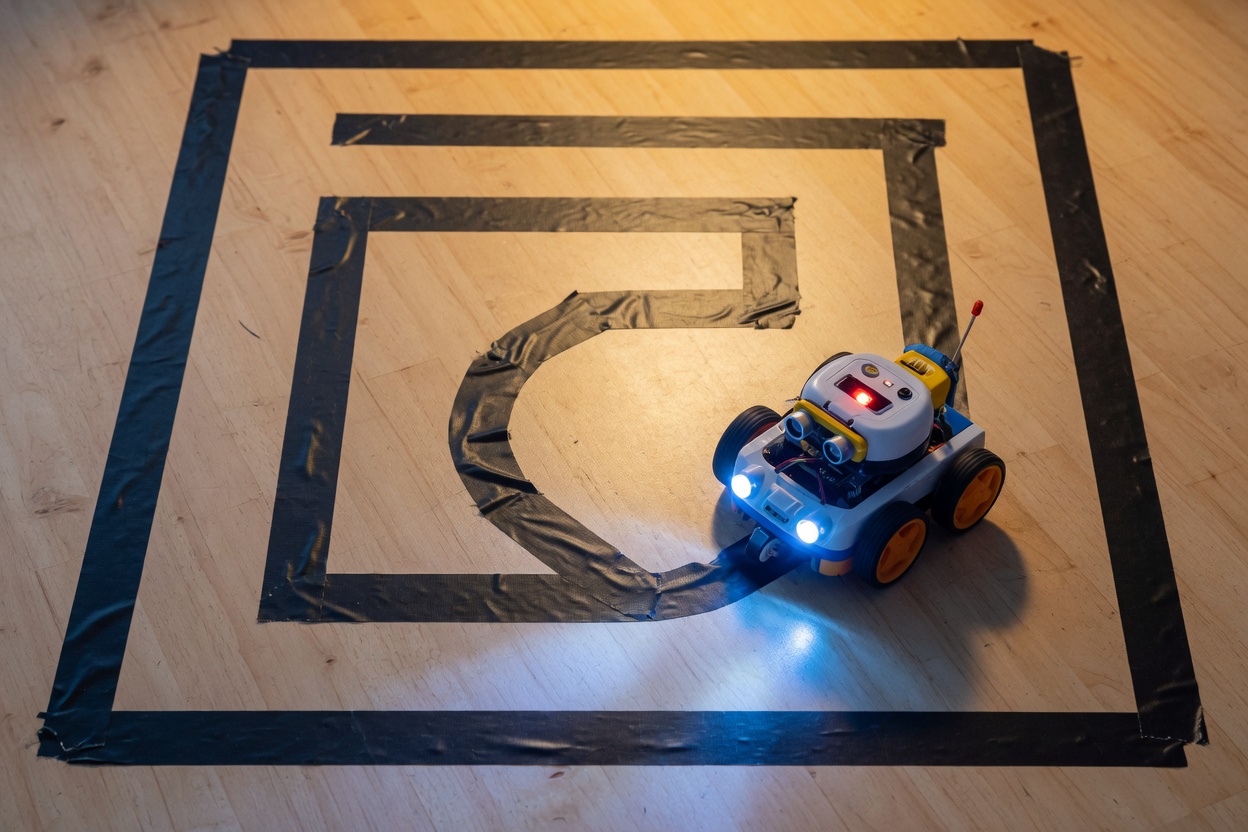
Every mission ends with something to show.
A robot that dances, follows a line, or answers your remote. Showing off is the hook. Badges, the monthly Build-Off, and the quarterly Robot Expo give everyone a reason to finish.
Cat Laser Turret
A four-mission servo course you can take any time: a pan-and-tilt turret that plays with the family cat. Feather Mode is the default — a bright LED, no laser. Class 2 laser is optional, with an adult, and never the first step.
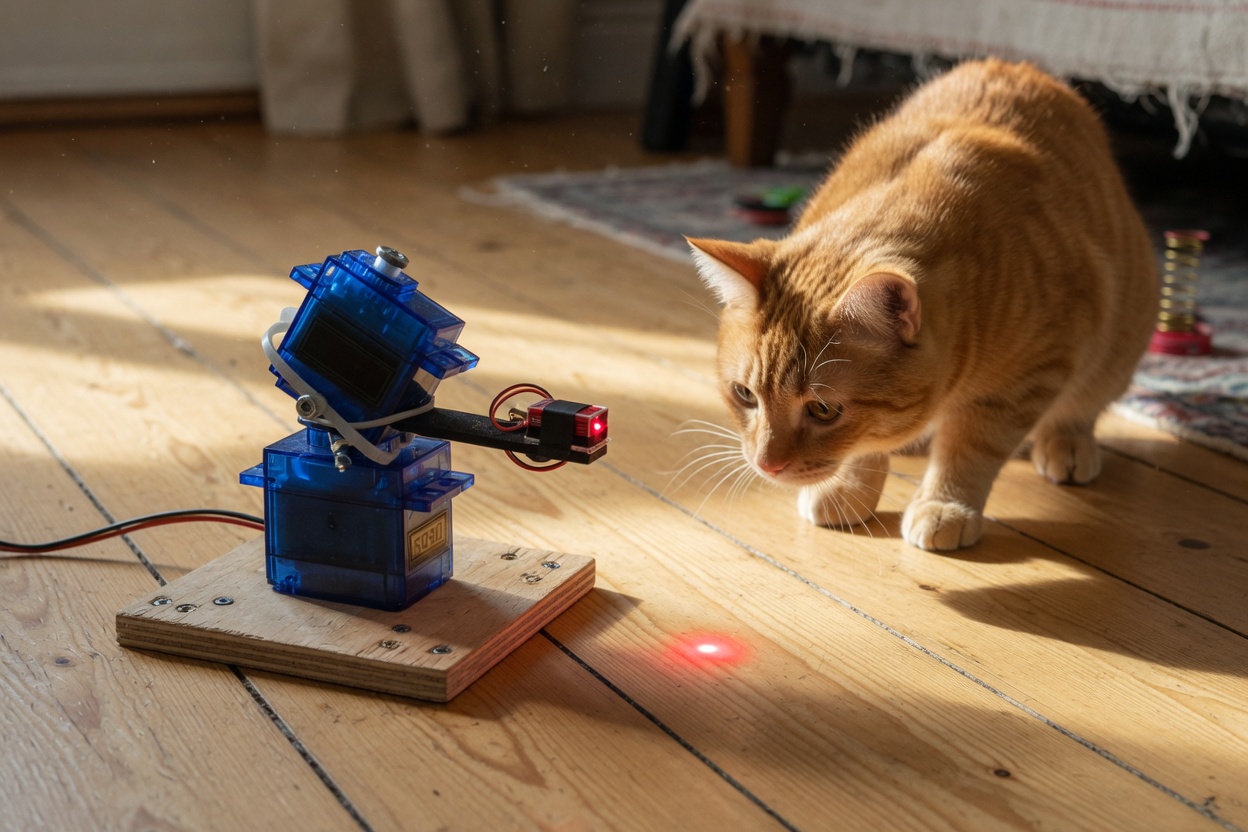
- Meet the Servo — a robot joint that sweeps
- Aim It — pan and tilt by tilting the micro:bit
- Cat Mode — random darts and sneaks, a floor-only safe zone, a 5-minute auto-stop
- Turret on Wheels — radio remote, or a rover that patrols while it plays
Two small servos (~$5) if you build the physical turret. Simulator works without them. Feather Mode first; laser is optional.
Once a month, the mission becomes an AI Lab
Kids learn three things: how to use AI as a helper, how to use it safely, and how to train their own models and put them on a robot. Free tools. No extra kit in year one.
AI as a helper
Ask it to explain code or find a bug. Then test what it says on the real robot. The robot is the judge.
Robot Rules for AI
What not to share, how to spot wrong answers, and why AI isn't a friend. The crew signs the Robot Rules. A grown-up stays in the room on chatbot missions because of age limits — the kid still drives.
Build your own model
Wave, clap, stand still — then drive the rover with the model you trained. Bad data makes bad AI. Kids see it.
Robot Rules for AI
- Never share your name, address, school, photos, or passwords with an AI.
- AI can be confidently wrong. Test it before you trust it.
- Chatbots have minimum ages. Stay in the room on those missions.
- AI is a tool, not a friend. Real questions go to real people.
- Say when AI helped. It's part of showing your work.
- You are the engineer. AI makes suggestions, you make decisions.
How kids use chatbots here
- Kids never need a chatbot account. Model training uses free tools with no sign-up.
- Chatbot missions can be demoed live in office hours so the kid still drives.
- Accounts sit with the grown-up who pays. No private messages between members.
- Showcase posts are approved before anyone else sees them. Office hours are recorded.